You don't need a $2,000 setup to start digital art – here's the kit I'd give to a beginner
(Image credit: Huion / Apple / Wacom) Jump To: Recommended FAQs Share Copy link Facebook X Whatsapp Pinterest Flipboard Email Share this article Join the conversation Follow us Add us as a preferred source on Google Newsletter Subscribe to our newsletter Taking up digital art isn't complex in…
Annons
Annons
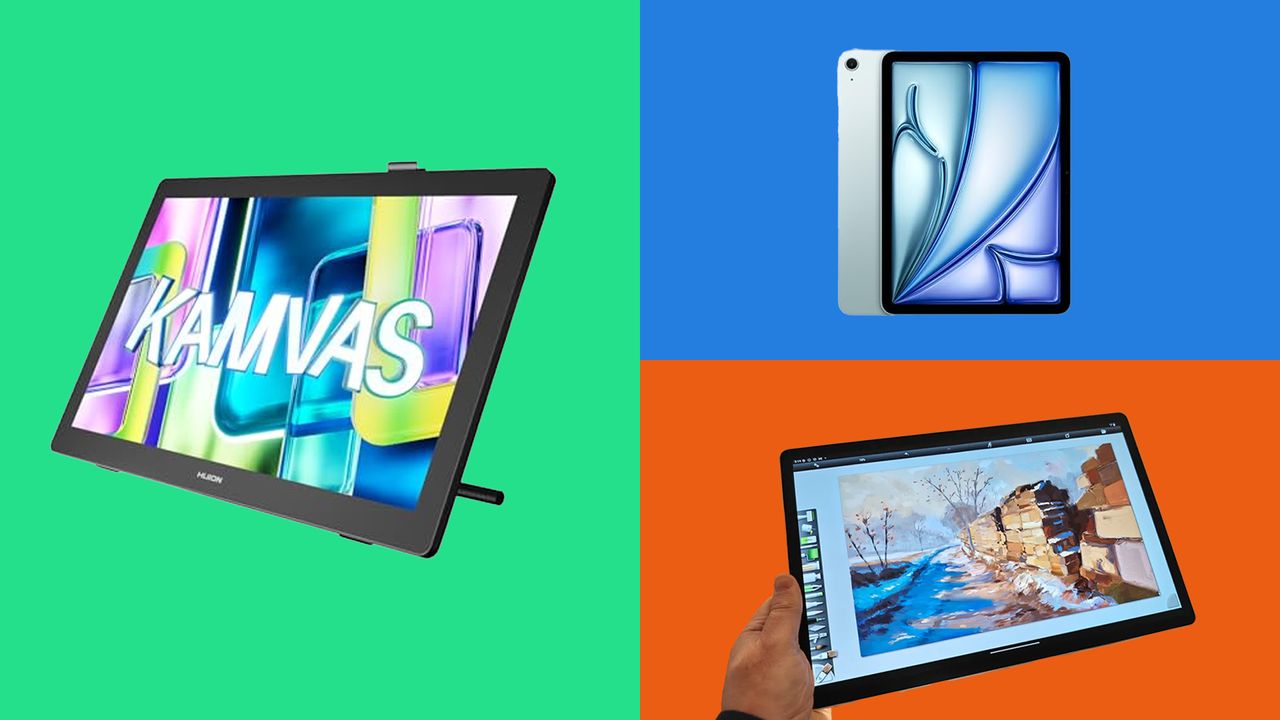
(Image credit: Huion / Apple / Wacom) Jump To: Recommended FAQs Share Copy link Facebook X Whatsapp Pinterest Flipboard Email Share this article Join the conversation Follow us Add us as a preferred source on Google Newsletter Subscribe to our newsletter Taking up digital art isn't complex in itself, but with hundreds of drawing tablets to choose from, going tablet or desktop, Apple, Windows or now Android, life has made something simple and joyous feel like, well… work.The kind of tech you choose can affect the art you make, to some extent. For example, choosing the best digital art software, such as the excellent Procreate – a simple but deeply realistic painting app – is only available for iPad, while more complex software, such as the brilliant Rebelle 8, which can replicate real-world paint and canvases, right down to how they dry, is only available on Windows and Mac laptops and PCs.My advice? Start with a tablet, whether it's Android like the Wacom MovinkPad or an iPad, and make use of free and cheap apps to find what you like. Then, if you need more, invest in a laptop and drawing tablet.Yes, drawing tablets – there are hundreds. The best brands are Wacom, XPPen, Huion and Xencelabs; a good budget brand is Ugee. I'd recommend beginning with a pen display, you can find good ones for around $500 / £500, but Ugee begin around $120-200 and are decent for pure beginners. If you need more advice, read my best drawing tablets guide.Below are options for the digital art kit to get you started.Digital beginners kit: recommended HUION Kamvas 22 (Gen 3) 2.5K, 90Hz, 21.5" screen The 90Hz display means you'll get smoother image updates and a smoother feel from this mid-range pen display. I still use this one regularly, even after reviewing the Kamvas 22 (Gen 3), and I love the small details, the rear atmospheric LEDs, the built-in stand, and the cable tidy. UGEE 15.4" screen Ugee make budget drawing tablets, and if cost is a concern, this one is the best I've tried (read my Ugee 16 review). Specs are decent – FHD (1920 x 1080), fully laminated, anti-glare, color gamut 143% sRGB – and it comes with a stylus. But it has that feel a budget tablet offers. HUION Artist Glove You won't always need a drawing glove, and they're generally designed to mitigate touch and gesture controls, but even on tablets without touch enabled some artists like to wear a glove for a smoother movement across the display. Apple iPad Air 11-Inch (M4) There's no getting away from it: the iPad Air is a solid way to get into digital art. The combination of a brilliant screen, touch control, Apple Pencil Pro and Procreate means you can be up and drawing instantly. Over time, you may want the freedom a larger drawing tablet and more powerful desktop software offer. Read our iPad Air (M4) review. Apple Pencil Pro Though Apple keeps it pressure levels a secret (good drawing stylus need to be 8-16k), it kind of doesn't matter because its designed to work on iPad. Featuring added controls such as barrel roll and gestures, Apple Pencil Pro is more than its pressure levels. Read our Apple Pencil Pro review. Astropad Rock Paper Pencil If you do choose an iPad (standard, Air or Pro) as you way into digital art then you'll want a screen protector, and this one's the best. I use it on my Air, and love how it offers texture to drawing on rather than iPad's glossy, smooth display. Read my Rock, Paper, Pencil review. Wacom Movinkpad 11 A new rival to the iPad for artists is the Wacom MovinkPad range, which packages up Wacom's drawing tablet tech into a neat Android tablet. Unlike the iPad, it features an etched-glass display for drawing that feels better, and Wacom's pen tech is unmatched. The 11" model is a small entry tablet; I'd pay a little more and opt for the Wacom MoveinkPad 14, which I use every day. Read my Wacom MoveinkPad 14 review. Higo Graphics Drawing Tablet Carry Case Whether you're buying a drawing tablet, iPad, or Wacom MovinkPad, you'll need a carry case to protect them, and this is one of the best around at a good price, and it can store the tablet alongside cables and a stylus. ASUS Zenbook 14 OLED, 14" Touchscreen This Zenbook is the best-value Windows laptop for artists, as it's powerful enough to run art software like Photoshop, ArtRage and Rebelle, while offering the colour accuracy and clarity of an OLED display. Read our Zenbook 14 review. Gogoonike Adjustable Laptop Stand Space is a premium with creating digital art and once up and running you won't be using your laptop much as all control can be handled on the drawing tablet and stylus. This makes a laptop stand is a good investment. Seagate One Touch SSD 1TB external drive Whether it's reference images or your own digital art, eventually you're going to need a good external SSD to save all your files, and the Seagate One Touch is a good one (I use it myself). This model is quick, and Seagate offers a six-month Mylio Photo+ subscription, a six-month Dropbox Backup Plan, and Rescue Services. FiiO Eh13 Wireless Bluetooth Noise Cancelling Over-Ear Headphones You're going to be spending a lot of time at your desk, so a decent pair of noise-cancelling headphones is essential, and these from FiiO offer good specs and comfort without costing a fortune. Digital beginners kit: frequent questions (Image credit: Future / XPPen)Is an iPad enough?An iPad is one of the easiest ways to start digital art, so for many beginners it's a way in because it removes a lot of technical barriers – a computer and stylus in one box, apps like Procreate and ArtRage work instantly, and everything just feels easy. It's good enough to grow with your skills, and if you opt for the new iPad Air (M4), you can be confident it will still perform well three or four years down the road and even run 3D modelling apps like ZBrush for iPad.The limitations come from the screen size and file sizes, and at some point you may want to add a desktop setup to work with the iPad. There are also more options now, such as good Android drawing tablets like the Wacom MovinkPad Pro 14 and the XPPen Magic Drawing Pad, so if you're on Android and Google, you can get info on digital art without leaving your ecosystem.