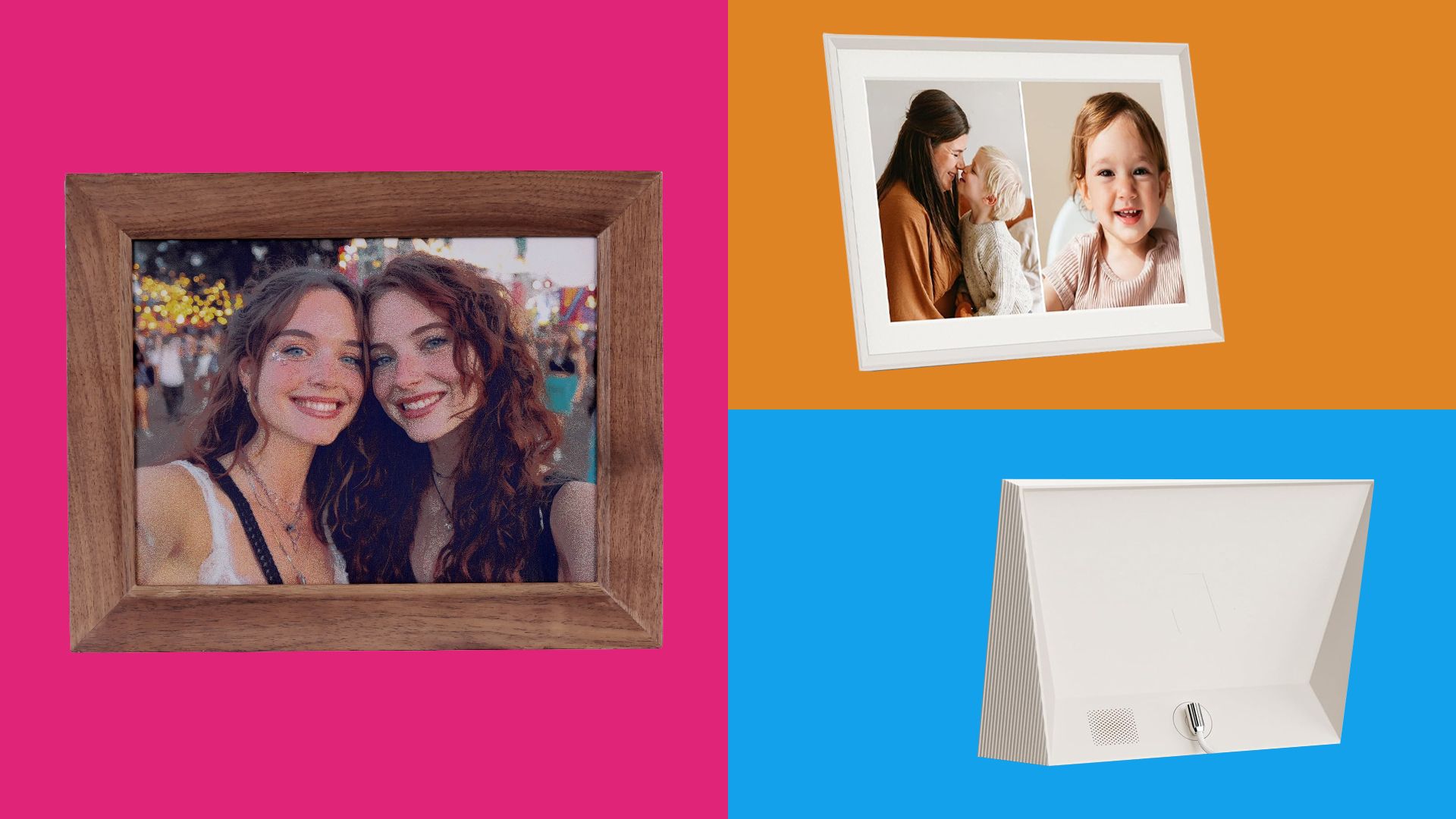
These 6 digital photo frames look good and offer great value for money
(Image credit: Future) Jump To: 1. Best overall 2. Best budget 3. Best e-ink 4. Premium option 5. Best art TV 6. Audio-visual hybrid Share Copy link Facebook X Whatsapp Pinterest Flipboard Email Share this article Join the conversation Follow us Add us as a preferred source on Google Newsletter…
Annons
Annons
(Image credit: Future) Jump To: 1. Best overall 2. Best budget 3. Best e-ink 4. Premium option 5. Best art TV 6. Audio-visual hybrid Share Copy link Facebook X Whatsapp Pinterest Flipboard Email Share this article Join the conversation Follow us Add us as a preferred source on Google Newsletter Subscribe to our newsletter Seeing art being housed in a tacky plastic frame isn't ideal. So it's great to see that today's best digital photo frames look much nicer than that.To select my favourites, I've focused not just on looks but also how easy they are to set up, the quality of the display, how much storage they offer, and how much this is all going to cost you.Be aware – these are back-lit digital photo frames, and so they will emit a light, especially noticeable when your room gets darker. If you don't want that light source, go read my list of the best e-ink art frames, which act more like paper, and come to life when a light source is directed at them.My top pick of the digital photo frames right now is the Aura Carver (10.1"), thanks to its unlimited free cloud storage, vibrant screen and lack of subscription. I've also included a budget option, an e-ink model and a frame that also comes with speakers.The best digital frame overall (Image credit: Samsung)01. Aura Carver (10.1")The best digital frame overallSpecificationsSize: 10.1" Frame options: Gravel (black), Sea Salt (white)Display: HD screen (1920x1200 resolution), 16:10 aspect ratio, ambient light sensorOrientation: Landscape only (portrait photos paired side by side)Subscription?: NoneControls: Touch-sensitive top edge, Aura app (iOS/Android)Connectivity: Wi-FiReasons to buy+Free, unlimited cloud storage+No subscription fees+Multiple people can share photos Reasons to avoid-Landscape orientation only-Proprietary power cable not USB-CThe Aura Carver pairs a crisp, vibrant panel with free, unlimited cloud storage and zero subscription fees. Setup is painless, and Aura's gift mode lets you preload photos and a welcome message, which makes it a strong choice as a present for others.Because it only displays in landscape, vertical shots get paired up side by side rather than shown full-screen, and how well that pairing works depends on whether you sort photos chronologically or let the app try to match them by subject. Video playback is a nice bonus but can look a little choppy on loading, so this is best thought of as a frame for photos first and video a distant second.Those niggles aside, though, this remains one of the easiest frames to set up and just leave running, which is exactly what most people want from one.The best budget digital frame (Image credit: Samsung)02. Frameo 10.1" Wi-Fi FrameThe best digital frame for those low on fundsSpecificationsSize: 10.1"Frame options: Black, whiteDisplay: IPS touchscreen (1280x800 resolution), 16:9 aspect ratioOrientation: Auto-rotate (landscape or portrait)Subscription?: NoneControls: Touchscreen, Frameo app (iOS/Android)Connectivity: Wi-FiReasons to buy+Easy touchscreen controls+Mounts in landscape or portrait+Well under $80Reasons to avoid-Doesn't always get orientation right-Videos capped at 15 seconds-No ambient light sensor The Frameo 10.1" delivers solid colours, easy-to-use touch controls, and seamless photo and short-video sharing via the widely supported Frameo ecosystem, all for well under $80. That makes it the easiest frame on this list to recommend if price is the deciding factor.The touchscreen is responsive enough that even less tech-confident relatives can swipe through a gallery without help, and because Frameo is used across several other budget frame brands too, families don't need everyone to own the same hardware to send photos over.The 16GB of onboard storage, expandable via microSD, is enough for tens of thousands of photos, and short video clips add a bit of life to the slideshow without needing a subscription. One issue reported by some, though, is that auto-rotate doesn't always catch a photo's orientation correctly.The best e-ink digital frame (Image credit: Samsung)03. Reflection Frame (10" or 13.3")The best e-ink digital frameSpecificationsSize: 10" or 13.3"Frame options: Black, oak, walnut, whiteDisplay: E Ink Spectra 6 colour ePaper, matte finishOrientation: Wall-mounted (fixed)Subscription?: NoneControls: NFC tap-to-print via phone, no app account requiredConnectivity: NFC, Bluetooth (no Wi-Fi needed)Reasons to buy+Looks like paper+Runs for months on a single charge+Setup takes secondsReasons to avoid-Colours are muted -Refreshing takes a few seconds -No slideshow or remote sharingThe Reflection Frame uses e-ink to display photos as if they've been printed out. It reflects ambient room light just like physical paper or a canvas print, running for months on a single charge without a power cord hanging down the wall, which sets it apart from every other frame on this list.Updating the image is done by tapping your phone to a corner of the frame over NFC and Bluetooth, so there's no Wi-Fi setup, no account, and nothing uploaded to a cloud server unless you choose to.The trade-off for that calm, print-like look is that Spectra 6 e-ink can't match an LCD panel for vibrancy: colours lean more toward a fine-art print than a bright tablet screen, and swapping the image takes a few seconds rather than being instant. It's also a manual experience rather than a family-sharing hub, since there's no remote slideshow or always-on connection.The best digital frame if money is no object (Image credit: Samsung)04. NETGEAR Meural Canvas II (27")The best digital frame if money is no objectSpecificationsSize: 21.5" or 27"Frame options: Black, white, dark wood, light wood bezels (tool-free swap)Display: 1080p matte display, TrueArt technologyOrientation: Vertical or horizontalSubscription?: Optional, $69.95/year for 30,000+ artworks (not required to display your own photos)Controls: Gesture sensor, Meural app (iOS/Android), Amazon AlexaConnectivity: Wi-Fi, EthernetReasons to buy+Best display quality on this list+Elegant frame options+App makes it easy to use+Works vertically or horizontally Reasons to avoid-Full art library needs subscription-16:9 won't suit 3:2 or 4:3 imagesThe Meural Canvas II is designed specifically for fine art. The patented TrueArt display technology diffuses light to mimic real paint textures and adjusts backlighting for a clean, anti-glare finish, and its optional $69.95-a-year membership grants access to a library of more than 30,000 artworks.The wood-finished frame snaps on and off in seconds without tools, and because the whole unit can be mounted vertically or horizontally, it adapts to more walls than the fixed-orientation frames on this list.The app makes everyday use of your own photos straightforward, with simple controls for cropping, scheduling and displaying individual images. Where it can still be a chore is loading a large batch of photos in one go, since there's no bulk "select all" option. It's also worth pointing out that the fixed 16:9 aspect ratio also doesn't suit the 3:2 or 4:3 ratios most cameras and phones actually shoot in, so expect some cropping or letterboxing.The best art TV (Image credit: Samsung)05. Hisense Canvas TV S7NThe best art TVSpecificationsSize: 55" to 85"Frame options: Teak included; walnut and white magnetic bezels available separatelyDisplay: 4K QLED panel, Hi-Matte anti-glare coating, native 144Hz refresh rateOrientation: Landscape (TV form factor)Subscription?: None required for art libraryControls: Remote, motion/light sensors for auto Art Mode, VIDAA or Google TV interfaceConnectivity: Wi-Fi, Bluetooth, 4x HDMI 2.1, USB, Ethernet, optical audioReasons to buy+Includes UltraSlim mount +No subscription required+Cheaper than Samsung's Frame TVReasons to avoid-Weaker black levels and contrast than Samsung's Frame in HDR-No dedicated art store-Rear ports are tricky to reach once wall-mountedThe Hisense Canvas TV S7N offers a painterly art display experience that rivals Samsung's Frame TV while being much cheaper. The price includes an UltraSlim mount and a teak wood magnetic bezel. An anti-reflective matte finish helps to eliminate glare, and built-in motion and light sensors allow you to toggle Art Mode when you enter the room. All without asking for a subscription the way Samsung's Frame TV does.As a TV itself it's not perfect: HDR content can suffer from shallow black levels and soft detail next to Samsung's rival. On the plus side, it's a capable, high refresh-rate set for gaming, and its price relative to Frame TV, plus the included frame and art library, make it excellent value overall.The best audio-visual hybrid frame (Image credit: Samsung)06. Samsung Music FrameThe best audio-visual hybrid frameSpecificationsSize: 13.8 x 13.8 x 2.1 inchesFrame options: Black bezel standard; white snap-on panels and custom acrylic art panels available separatelyDisplay: Customisable front picture panel (8x8" printable area), not a digital screenOrientation: Square, wall-mounted or on standSubscription?: None Controls: SmartThings app, rear touch buttons, Tap-to-Play (select Samsung phones)Connectivity: Wi-Fi, Bluetooth 5.2, optical inputReasons to buy+Wireless speaker +Wide streaming support+Simple setup Reasons to avoid-Sound lacks detail and dynamics -Custom acrylic art panels cost extraThe Samsung Music Frame features a high-fidelity wireless speaker system – six drivers in total, with support for Dolby Atmos – behind a photo or artwork. Streaming support is extensive, covering AirPlay 2, Google Cast, Spotify Connect and Tidal Connect alongside Bluetooth, and setup through Samsung's SmartThings app takes less than a minute once you have an account.That said, the sound quality isn't perfect: reviewers found it gets loud and fills a room, but the more volume you push, the muddier and less detailed it becomes, lacking the dynamic contrast that similarly priced standalone speakers deliver. Also, while swapping the front artwork is easy enough, only images that fit an 8x8 inch square will display properly. Get the Creative Bloq NewsletterSign up to Creative Bloq's daily newsletter, which brings you the latest news and inspiration from the worlds of art, design and technology. TOPICS Beren Neale Ecom Editor Beren cut his teeth as Staff Writer on digital art magazine ImagineFX, and has since worked on and edited several creative titles, including Paint & Draw and Computer Arts. As Ecom Editor on Creative Bloq, when he's not reviewing the latest audiophile headphones or evaluating the best designed ergonomic office chairs, he’s testing laptops, TVs and monitors, all so he can find the best tech deals for Creative Bloq’s digital professional audience. With contributions from Tom May Freelance journalist and editor Back To Top LATEST ARTICLES 1 The new Hunger Games billboards are absolutely terrifying 2 These 6 digital photo frames look good and offer great value for money 3 Massive Canva update adds 100 features to new ProSuite 4 This artist's dark fantasy concepts create a sense of unease and vast scale 5 Why I'd pre-order the iPhone 18 Pro, even if it's already being written off as a flop